OEM ENGINEERING GUIDE
Wire Harness Connector Orientation: Mating Face vs Wire Side
Define which side of the connector the drawing shows before assigning cavities, wire exits or clocking. A correct pinout can still be assembled incorrectly when the viewing direction is ambiguous.
Cablum manufactures custom wire harnesses and cable assemblies to customer requirements. Send the connector references, labeled views and connection table together for project review.
What does connector orientation mean?
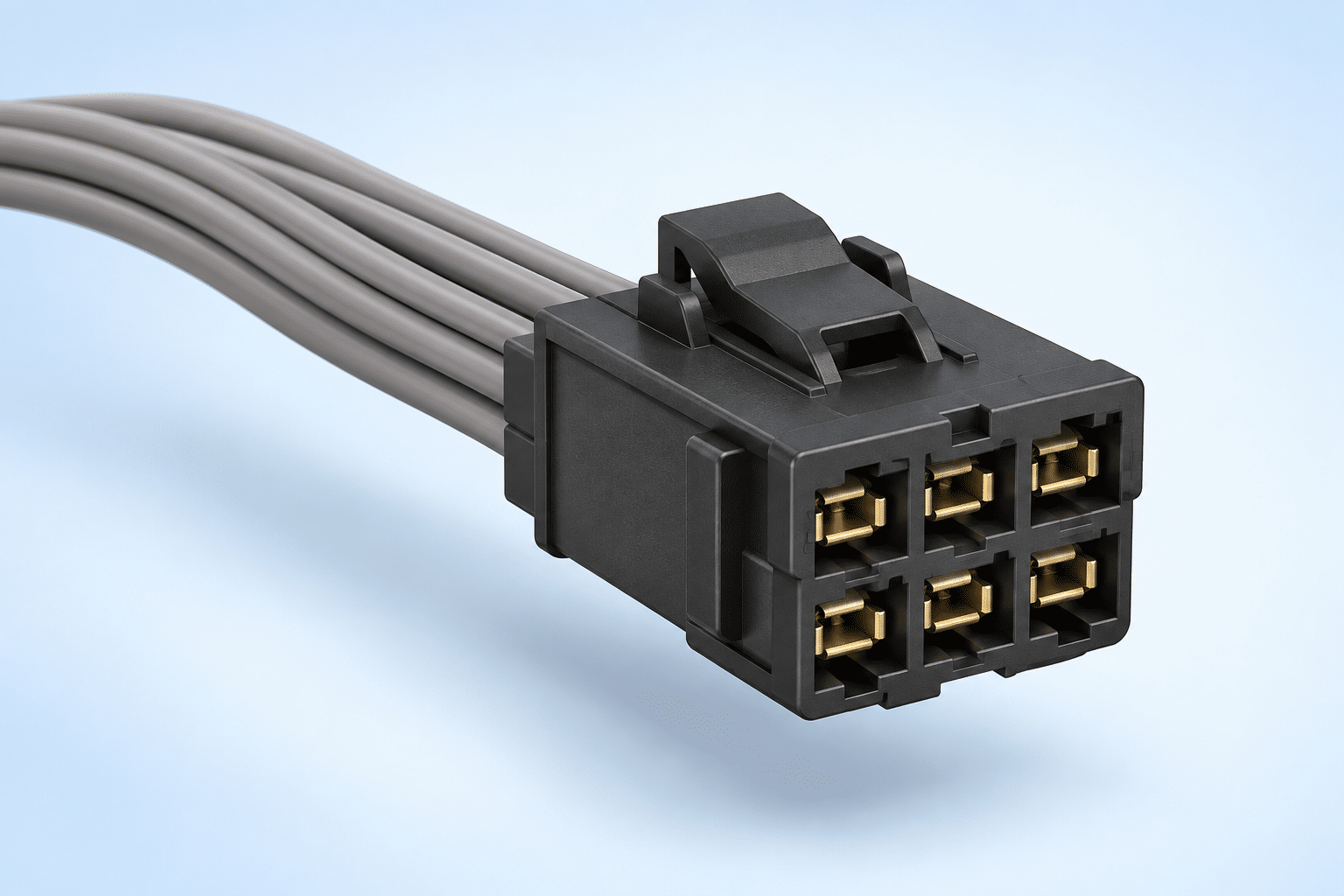
Connector orientation describes the viewing direction and physical position used to interpret the connection. It includes the mating face, wire-entry side, latch or key reference, and the direction in which the cable leaves the connector. State these separately from the electrical connection table.
Mating-face view
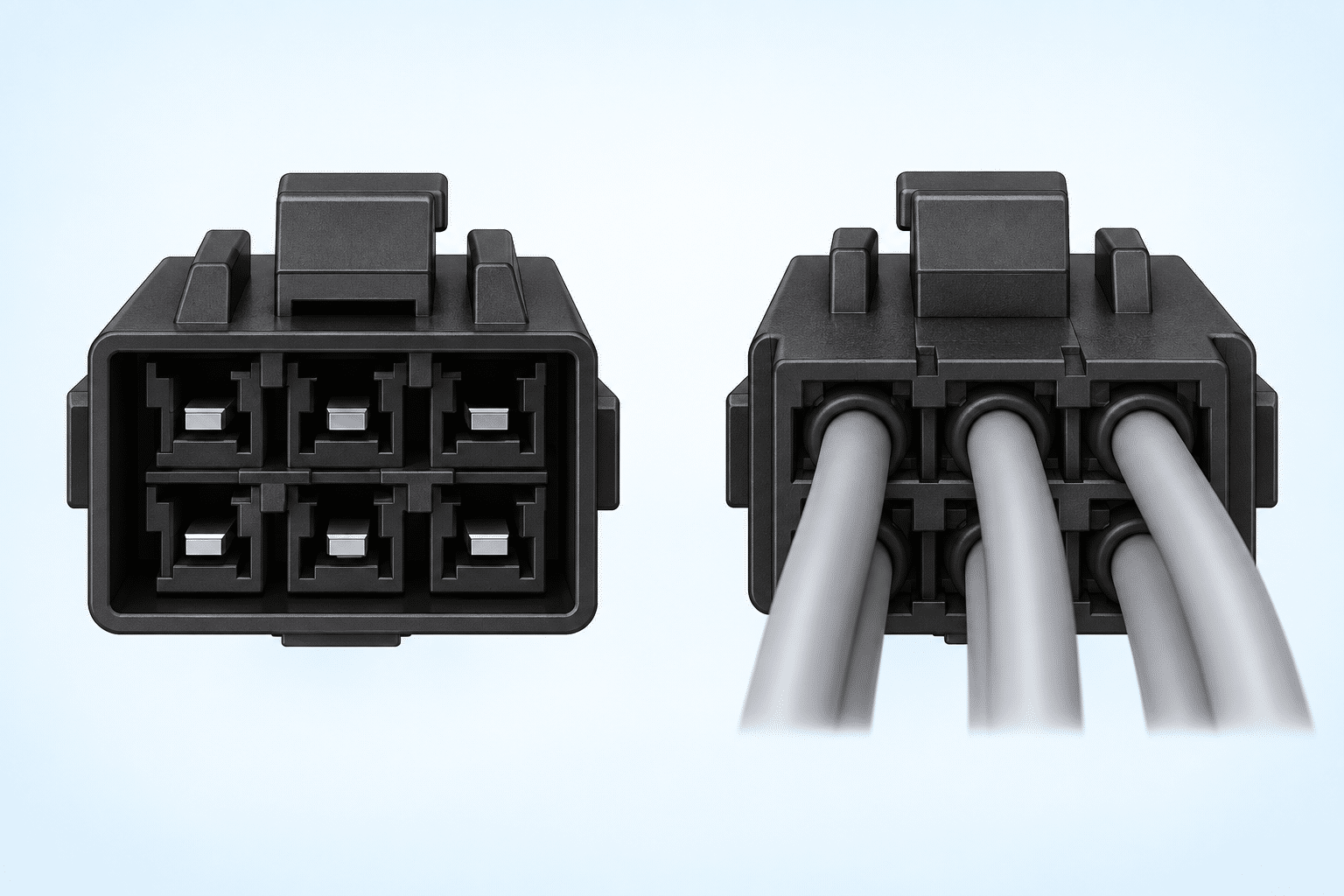
You look toward the interface that connects to the mating component. Label the view explicitly and identify a visible key, latch or other physical reference. Use the selected connector manufacturer’s drawing to confirm cavity numbering.
Wire-side view
You look toward the cable-entry or terminal-insertion side. Opposite-side views can appear mirrored, but the exact relationship depends on the part and drawing convention. Do not infer cavity numbers by visually reversing an unlabeled sketch.
Four details to put on the drawing
1. Viewing direction
Write “mating face” or “wire side” beside each view. Include a direction arrow when the perspective is difficult to interpret.
2. Key and latch position
Mark a physical datum, such as the latch at the top of the illustrated view. A datum is more reproducible than “left” or “right” without a viewing direction.
3. Cavity identification
Show connector designators and manufacturer cavity numbers. Separate a wire identifier from a cavity number so they cannot be mistaken for one another.
4. Cable exit and clocking
Show the required exit direction for angled connectors and backshells. If clocking matters, define the reference view, datum and angle convention rather than giving an isolated angle.
Orientation checklist for an RFQ
| Drawing input | What to specify | Ambiguity to avoid |
|---|---|---|
| Connector identity | Manufacturer reference, housing, contacts and mating interface | Relying on a connector photograph alone |
| View label | Mating-face or wire-side view at each endpoint | Assuming both ends use the same viewing direction |
| Connection mapping | End A cavity to End B cavity, signal and wire ID | Using drawing position as the electrical definition |
| Exit direction | Sketch or controlled view of cable departure and relevant hardware | “Right-angle” without indicating the required direction |
| Revision and acceptance | Applicable drawing revision, resolved questions and required checks | Mixing an old sample with a new connection table |
Use the wire harness pinout table guide for connection mapping and the drawing checklist for the broader build definition.
Resolve drawing and sample differences before release
A physical sample helps communicate shape and routing, but it does not automatically identify the intended view or supersede a controlled drawing. If the sample and drawing disagree, record the discrepancy and obtain the customer’s approved disposition before building to either interpretation.
For a two-ended assembly, review End A and End B independently, then reconcile both views with the connection table. Photograph or illustrate the reference latch/key position when useful, and identify any unused cavities or intentionally free wire ends.
See drawing vs sample requirements and revision control requirements.
Connector orientation questions
Is a wire-side view always the mirror of a mating-face view?
Opposite viewing directions can produce mirrored layouts. Confirm the selected part’s numbering and drawing convention instead of applying a universal mirroring rule.
Does a pinout table define connector orientation?
A pinout table defines electrical connections. It should be supported by labeled connector views when cavity location, keying or physical direction could be ambiguous.
Can a photograph replace a connector drawing?
A photograph can supplement a drawing, especially when a latch or cable exit is hard to explain. It should not replace the part reference, cavity numbering and controlled requirements.
What should I send Cablum for review?
Send the drawing revision, connector and contact references, labeled endpoint views, BOM, connection table, quantities and project inspection requirements. Identify unresolved orientation questions clearly.
Make the connection definition clear before quotation
Share your labeled connector views and pinout table with Cablum. Component requirements and inspection scope are reviewed for the project.